
The Results tab displays evacuation and fire dynamics simulation results after completing the corresponding simulation process.
The Evacuation tab shows general information about the evacuation simulation results for the current scenario, as well as summarized information for all registering devices and evacuation exits.
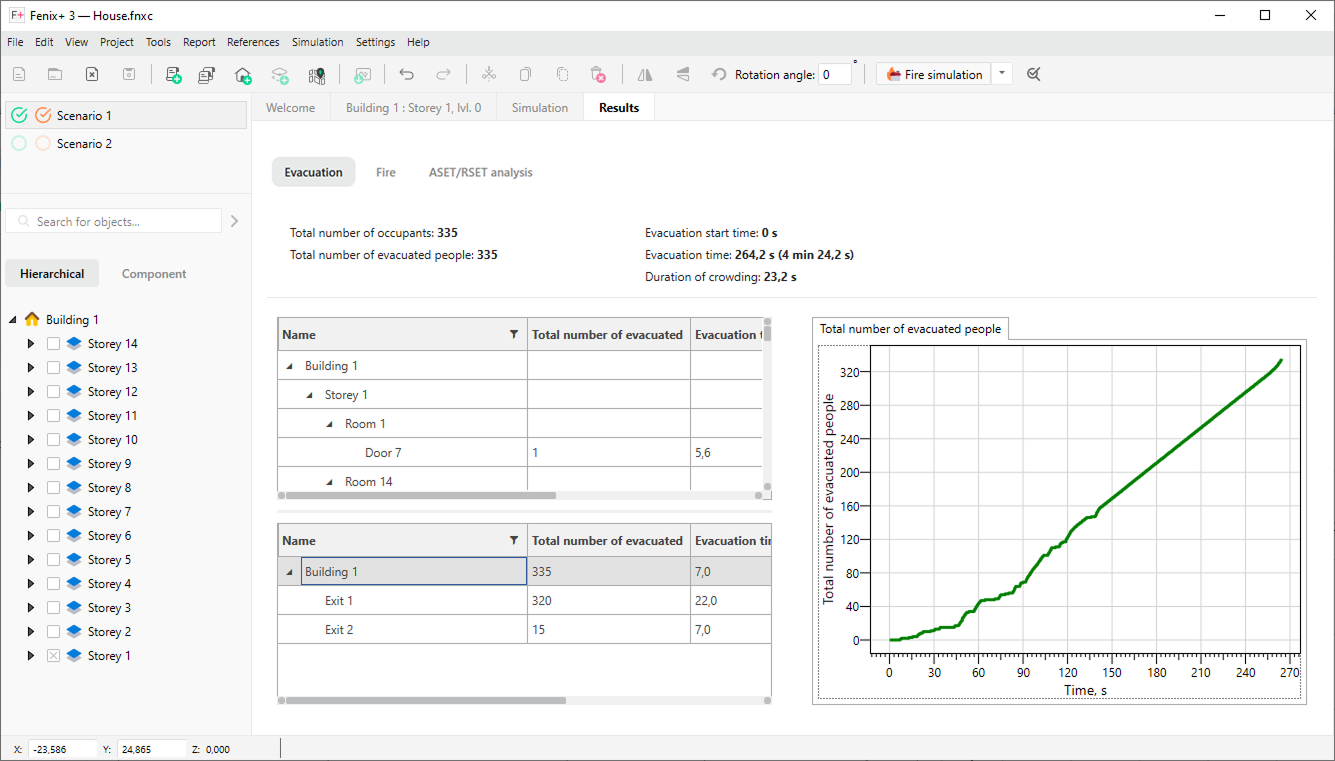 {width=90%}
The Fire tab has multiple sub-tabs:
-
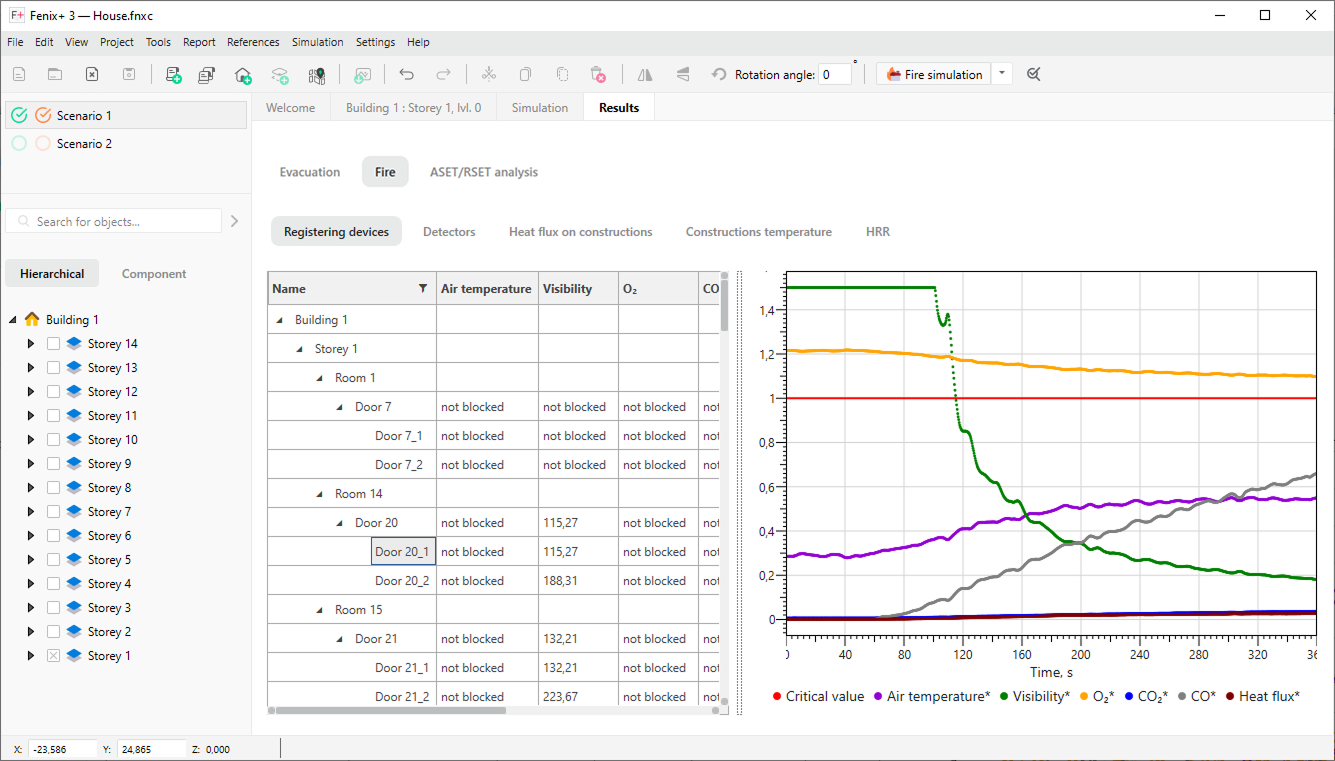
Registering Devices. The Registering Devices sub-tab shows blocking time of registering devices for each fire hazard, and also displays the dynamics of changes in the fire hazard values for each registering device in the current scenario.
If the registering device has several control points, then information for all control points is presented. For more details about control points, see Registering Device.
 {width=70%}
-
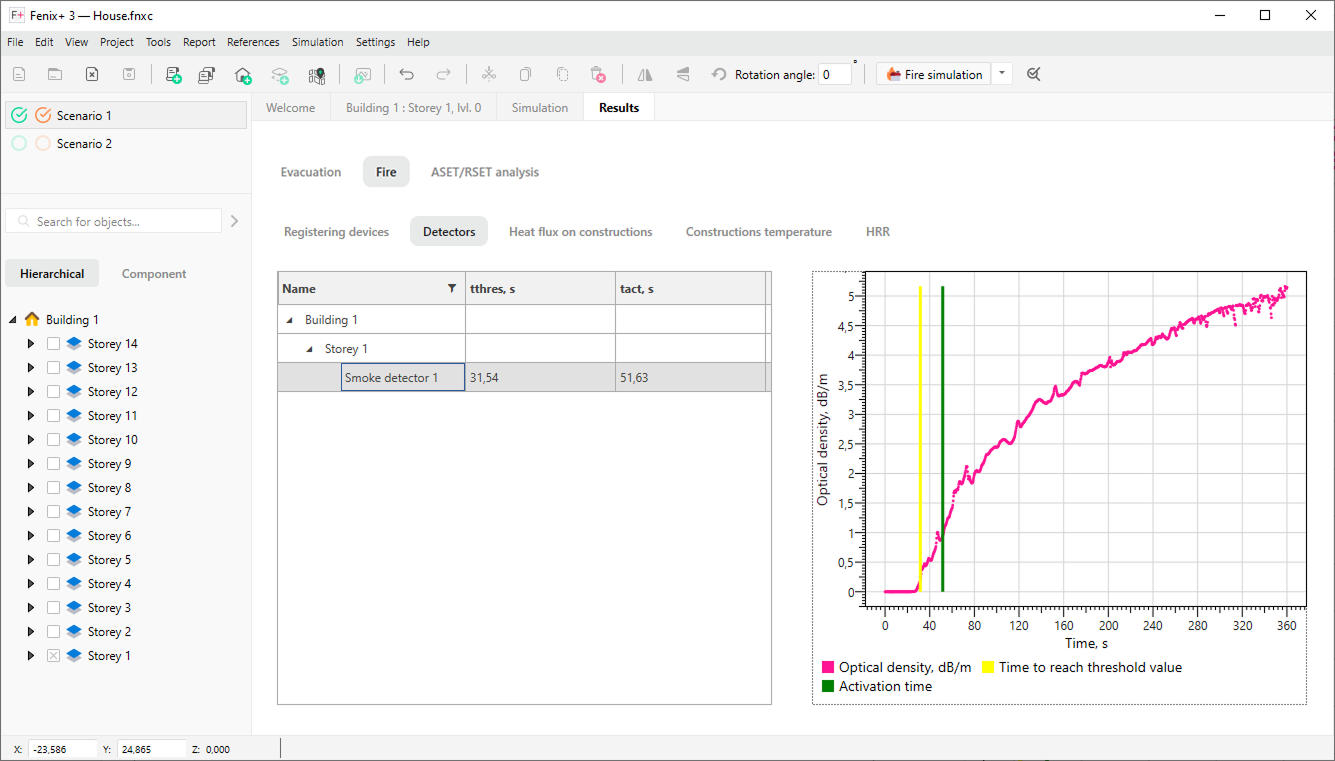
Detectors. The Detectors sub-tab shows the time of reaching the threshold value for the activation of the fire detector, as well as the activation time taking into account the delay time associated with the inertia of the fire detection system.
 {width=70%}
-
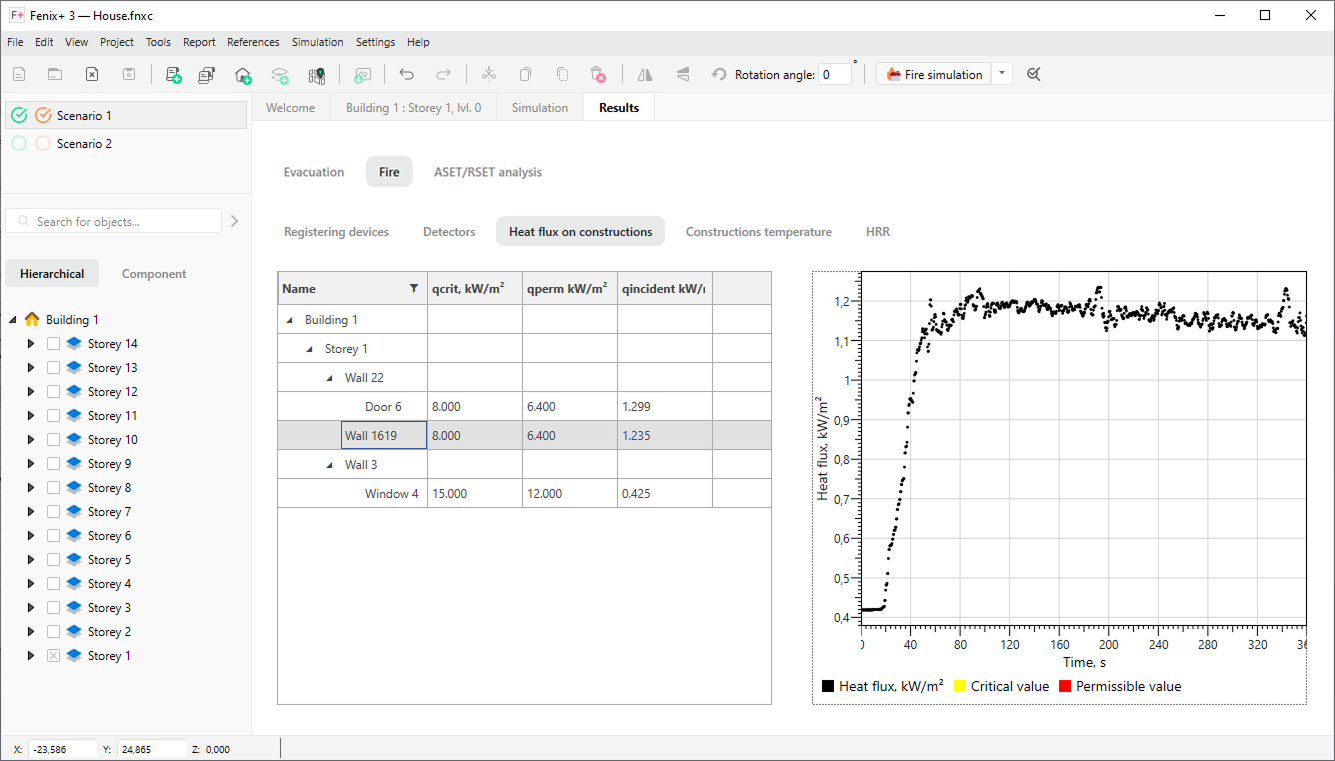
Construction temperature. Graphs of changes in heat flux density.
-
Heat flux on constructions. Graphs of changes in temperature of structures.
 {width=70%}
-
HRR.
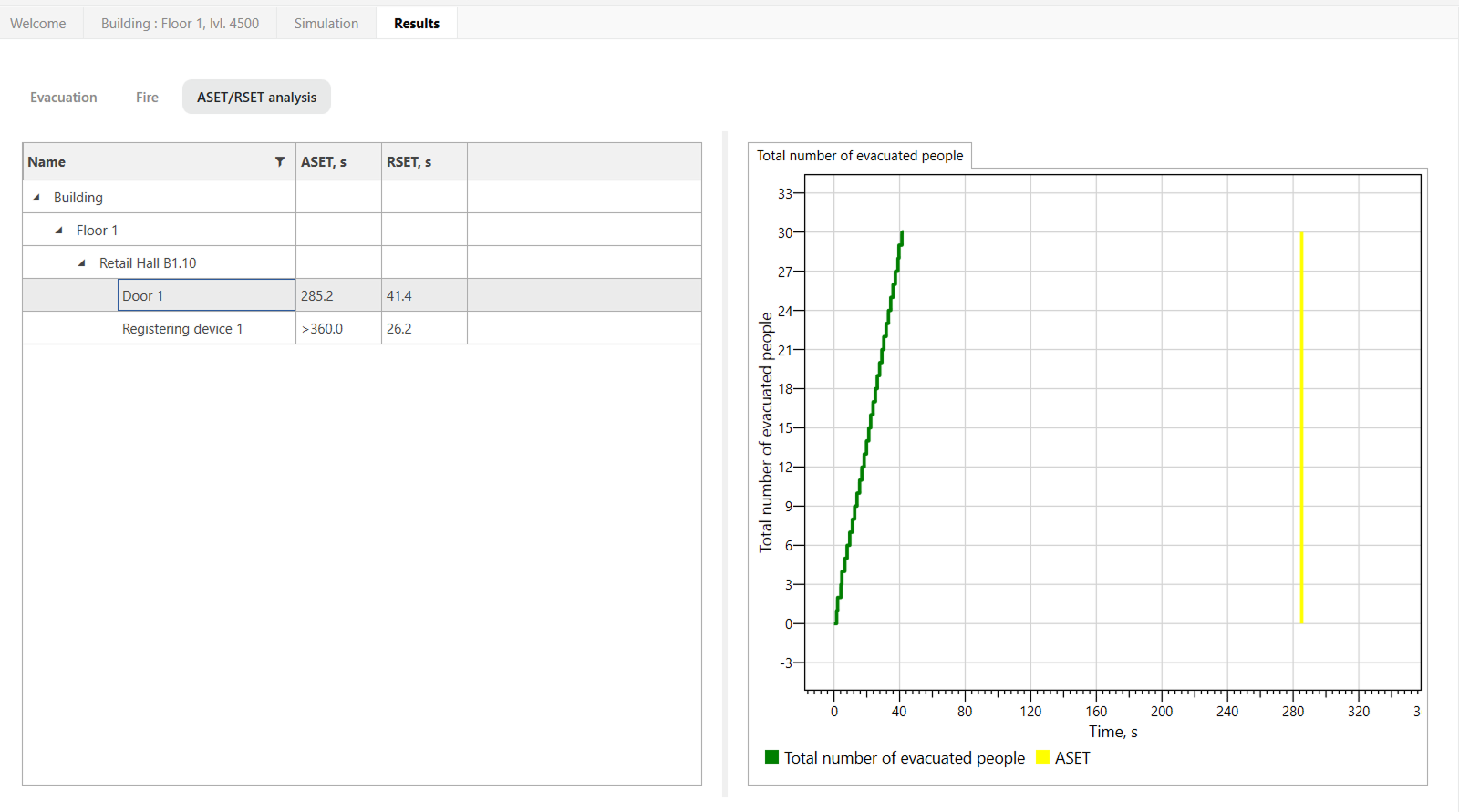
The ASET/RSET analysis tab shows calculation results for all registeing devices in the current scenario, and also displays graphs of the number of people passing and the intensity of people flow.
 {width=80%}